Medical Alert Button vs Smartwatch: What Does Each One Do?
Short answer: A medical alert system is a service you pay for: the person wears a button on a necklace or bracelet and presses it to get help. Some smartwatches, like Apple Watch and Google Pixel Watch, can call emergency services, and can call on their own after a hard fall if the wearer doesn't respond. A watch needs a cellular connection or a nearby phone, and neither option catches every fall. The National Institute on Aging (NIA) says Medicare won't pay for emergency medical alert systems.
 ▶ Watch the short video
- No button or smartwatch catches every emergency. Apple and Google say their watches can't detect all falls, and NIA says alert systems only help when they're set up correctly, worn, and charged.
- Hang up on robocalls saying someone already bought you a free medical alert system. The FTC has sued over this pitch.
- Read the contract before you sign. Ask how to cancel, and whether there are fees for ending early or returning equipment.
Step by step
- Start with what your parent needs. Think about where help is most likely to be needed: at home, out and about, or in the bathroom. NIA says these systems only help if they're set up correctly and worn, and they can't replace regular check-ins from family and friends.
- Ask who answers the alert. For a medical alert service, ask whether a button press reaches a staffed response center, a family member, or 911, and what happens if no one picks up. On a smartwatch, Emergency SOS calls local emergency services directly. Apple says Apple Watch then texts your emergency contacts your location.
- Ask how it connects. Apple says Emergency SOS and Fall Detection need a satellite connection, a cellular connection, or Wi-Fi Calling from the watch or a nearby iPhone. Google says the Wi-Fi Pixel Watch needs its paired phone nearby over Bluetooth, while the LTE version needs an active LTE connection. For a button, ask whether it works through a home base unit, a cellular network, or both.
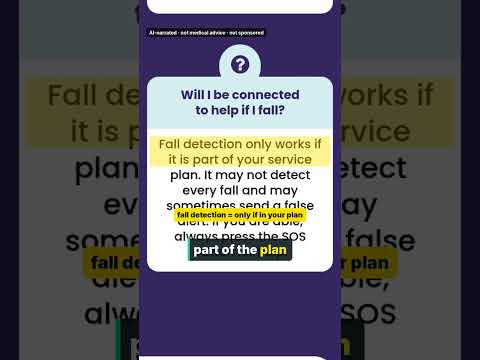
- Ask about fall detection and its limits. If the wearer stays still for about a minute after a hard fall, Apple Watch Fall Detection starts a 30-second countdown and then calls emergency services. It's for ages 18 and up, and it turns on by itself at 55 and over if the age was entered. Pixel Watch calls if there's no response after 60 seconds. Both companies say their watches can't detect all falls.
- Ask about water and batteries. Ask whether it can be worn in the shower or bath, how often it needs charging, and how you'll know the battery is low. NIA says the batteries need to be charged or replaced as recommended.
- Get fees and cancellation terms in writing. Ask about the startup fee, monthly fee, equipment costs, contract length, and how to cancel. The FTC says businesses have to tell you how to cancel before they get your card information. If it's not clear how to cancel, walk away.
- Check what will pay for it. NIA says Medicare won't pay for emergency medical alert systems, but Medicaid and other programs may, and some private health or long-term care insurance plans pay part of the cost. Call the plan to ask. The Eldercare Locator at 800-677-1116 can help you find local resources.
How a medical alert system works
NIA describes an emergency medical alert system as an electronic monitor the person wears. If you fall or need help, you push a button on a special necklace or bracelet, and the system alerts emergency help. NIA lists fall monitors and GPS tracking devices as related services for people who live alone.
These are usually subscriptions. NIA says they typically charge a fee to get started, then a monthly service fee, and costs vary by company, features, and coverage area. Ask exactly what the monthly fee covers before you sign.
What Apple Watch and Pixel Watch do
Apple Watch: For Emergency SOS, press and hold the side button until the Emergency Call slider appears. Drag the slider, or keep holding to call after a countdown. Fall Detection works on Apple Watch SE or later, Series 4 or later, and Ultra or later. After a hard fall, the watch taps the wrist, sounds an alarm, and shows an alert. If the wearer stays still for about a minute, a 30-second countdown starts. Then the watch calls emergency services and alerts emergency contacts. Apple says Wrist Detection must be on for the automatic call.
Google Pixel Watch: After a hard fall, Google says the watch waits about 30 seconds. Then it vibrates, rings loudly, and asks if you want to call emergency services. If there's no answer, it calls after 60 seconds and plays a recorded message. To start Emergency SOS, press the crown 5 times. Google says the watch may not be reliable for emergency communications. Its Safety Signal feature lets some watches without their own cell plan use safety features over LTE, and it requires a Google Health Premium subscription.
Neither company's support pages describe a staffed monitoring center for these features. Calls go to emergency services, and alerts go to the emergency contacts you set up.
Does Medicare cover medical alert devices?
NIA says Medicare will not pay for emergency medical alert systems. Medicare.gov's list of covered durable medical equipment doesn't include them, and neither does its list of what Original Medicare doesn't cover.
Medicare.gov says Medicare Advantage plans may offer extra benefits that Original Medicare doesn't cover, such as some vision, hearing, and dental services. It doesn't say whether any plan covers medical alert devices, so call the plan and ask. NIA says Medicaid and other programs may provide coverage.
Common questions
Does Original Medicare pay for a medical alert system?
No. NIA says Medicare will not pay for emergency medical alert systems, and Medicare.gov doesn't list them as covered equipment. NIA says Medicaid and other programs may help, and some private health or long-term care insurance plans pay part of the cost.
Can a smartwatch replace a medical alert button?
It depends on the person. A smartwatch can call emergency services and detect hard falls, but it has to be worn, charged, and connected to cellular service or a nearby phone, and it can't detect all falls. Ask whether your parent will wear and charge it every day, and whether they'd rather have a staffed service answer.
Does Apple Watch fall detection work without an iPhone nearby?
Only if the watch has its own connection. Apple says Fall Detection needs a satellite connection, cellular connection, or Wi-Fi Calling from the Apple Watch or a nearby iPhone. Cellular models can make emergency calls in many places where cellular service is available.
What if a watch calls 911 by mistake?
Don't hang up. Apple and Google both say to stay on the line and tell the responder that you don't need help.
Is a call offering a "free" medical alert system real?
Be careful. In 2015, the FTC and Florida's attorney general sued an operation that used robocalls to pitch "free" medical alert systems to seniors. People were told they wouldn't be billed until they activated the system, but were charged almost right away. The FTC says unsolicited commercial robocalls are illegal. Hang up and report it at ReportFraud.ftc.gov.
Official sources
- Services for Older Adults Living at Home (content reviewed October 12, 2023) — National Institute on Aging (NIH) (checked 2026-10-21)
- Preventing Falls at Home: Room by Room (content reviewed September 12, 2022) — National Institute on Aging (NIH) (checked 2026-10-21)
- Falls and Fractures in Older Adults: Causes and Prevention (content reviewed September 12, 2022) — National Institute on Aging (NIH) (checked 2026-10-21)
- Use Fall Detection with Apple Watch (published May 6, 2026) — Apple Support (checked 2026-10-21)
- Use Emergency SOS on your Apple Watch (published March 16, 2026) — Apple Support (checked 2026-10-21)
- Get help in an emergency with Google Pixel Watch safety features — Google Pixel Watch Help (checked 2026-10-21)
- Durable medical equipment (DME) coverage — Medicare.gov (checked 2026-10-21)
- What's not covered? — Medicare.gov (checked 2026-10-21)
- Compare Original Medicare & Medicare Advantage — Medicare.gov (checked 2026-10-21)
- Getting In and Out of Free Trials, Auto-Renewals, and Negative Option Subscriptions (September 2024) — FTC Consumer Advice (checked 2026-10-21)
- FTC, Florida Attorney General Sue to Stop Deceptive Robocalls from Operation That Pitched Seniors "Free" Medical Alert Systems (July 6, 2015) — FTC press release (checked 2026-10-21)
- ReportFraud.ftc.gov — FTC (checked 2026-10-21)